Fedora 44 Released – What’s New, Features & Upgrade Guide
Fedora 44 is officially out. Released on April 28, 2026, this release brings GNOME 50, KDE Plasma 6.6, a revamped developer toolchain, and better ARM support — making it one of the most feature-packed Fedora releases in recent memory.
If you’ve been waiting to upgrade from Fedora 43, or you’re a Linux newcomer curious whether Fedora 44 is worth switching to, this guide covers everything: what’s new, what changed under the hood, a direct comparison with Ubuntu 26.04 LTS, and a step-by-step upgrade walkthrough.
Quick Facts – Fedora 44 at a Glance
|
Detail |
Info |
|---|---|
|
Official Release Date |
April 28, 2026 |
|
Default Desktop |
GNOME 50 (Wayland-only) |
|
KDE Edition |
Plasma 6.6 |
|
Kernel |
Linux 7.x |
|
Python |
3.14.4 |
|
Compiler |
GCC 16 |
|
Upgrade Path |
DNF system-upgrade from Fedora 43 |
|
Minimum RAM |
4GB (8GB recommended) |
|
Minimum Disk |
40GB |
What’s New in Fedora 44 – Major Features
GNOME 50 – Wayland-Only, No X.org
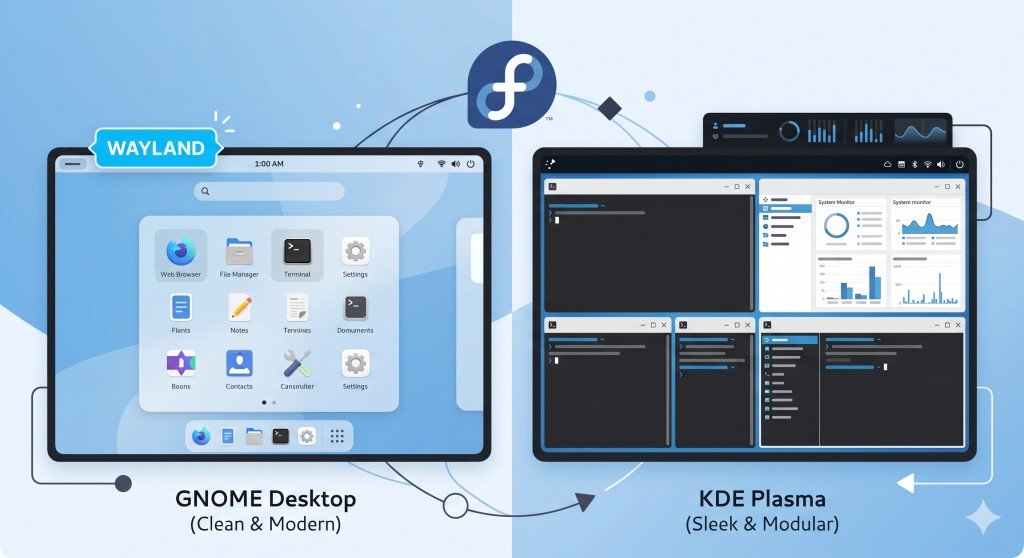
Fedora Workstation 44 ships with GNOME 50 as the default desktop. This is a significant milestone — GNOME 50 drops X.org support entirely. If you’re running an older application that requires X11, you’ll need to check Xwayland compatibility first.
What GNOME 50 brings to Fedora 44 –
- Faster window compositing via updated Mutter engine
- Improved multi-monitor support, especially for HiDPI displays
- Smoother gestures on touchpads and touchscreens
- Refined system settings UI with better accessibility options
If you rely on X11 apps regularly, test them in a live session before upgrading your main system.
KDE Plasma 6.6 – New Login Manager + First-Run Setup
The Fedora KDE edition gets Plasma 6.6 along with a completely new Plasma Login Manager (PLM) replacing SDDM. This is a big shift — if you’re upgrading an existing Fedora 43 KDE install (not fresh install), you’ll need to manually switch to PLM.
Plasma 6.6 also introduces a new out-of-the-box first-run experience for all Fedora KDE variants. Instead of dropping you straight to the desktop, a guided setup app walks through display scaling, keyboard layout, and theme preferences on first boot. Clean, and long overdue.
Other KDE edition changes –
- The Fedora Games Lab now ships with KDE Plasma instead of Xfce
- A dedicated KDE Mobile Spin is available for x86-64 tablets and ARM64 convertible laptops
Fedora Budgie 44 – Also Goes Wayland-Only
Fedora Budgie now ships with Budgie 10.10, and like Fedora Workstation, it’s now Wayland-only. Budgie 10.10 brings improved panel applets, better system tray handling, and performance improvements for lower-end hardware.
Developer Toolchain – Major Version Bumps Across the Board
This is where Fedora 44 really shines for developers. Nearly every major language and toolchain received a significant version bump –
|
Tool |
Fedora 43 |
Fedora 44 |
|---|---|---|
|
Python |
3.13.x |
3.14.4 |
|
GCC |
14.x |
16 |
|
LLVM |
19.x |
22 |
|
Golang |
1.23.x |
1.26 |
|
PHP |
8.3.x |
8.5 |
|
Ruby |
3.3.x |
4.0 |
|
CMake |
3.x |
4.0 |
|
Boost |
1.86 |
1.90 |
|
Ansible |
11.x |
13 |
If you’re a developer, this alone makes Fedora 44 one of the freshest upstream development environments available on any Linux distro right now. Ubuntu 26.04 LTS ships older stable versions of most of these by design.
Language Standard Support – C++ 26 and C 23
Fedora 44 also officially supports C++ 26 and C 23 — the latest approved ISO standards. With GCC 16 and LLVM 22 as the default compilers, you can start writing and testing code against these new standards out of the box.
Enhanced ARM64 (AArch64) Support
Fedora 44 improves AArch64 EFI system support, specifically targeting Windows on ARM laptops. This is a notable step toward making Fedora a first-class citizen on ARM hardware — important as Qualcomm Snapdragon X Elite laptops become more common in the US market.
Live media improvements also make it easier to boot Fedora 44 from USB on ARM-based systems without manual EFI configuration.
Anaconda Installer – Smarter Network Profile Behavior
The Fedora installer (Anaconda) changes how it handles network device profiles. In previous versions, Anaconda would create profiles for all detected network adapters, which caused confusion and issues when reconfiguring network settings post-install.
Fedora 44 only creates profiles for devices actually configured during installation. If you didn’t set up a network interface during install, it won’t auto-populate — cleaner behavior, fewer post-install surprises.
Nix Package Manager – Better Integration
Fedora 44 improves compatibility with the Nix package manager, making it easier to run Nix alongside DNF. If you use Nix for reproducible development environments, this is a welcome improvement.
Why Fedora 44 Released Two Weeks Late (And Why That’s Actually a Good Sign)
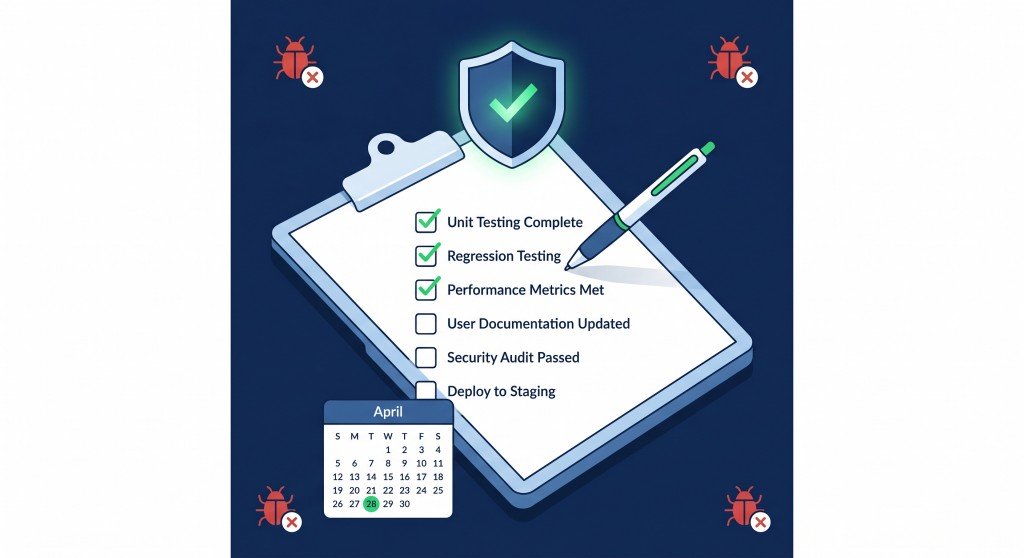
Fedora 44 originally had a April 14, 2026 target release date. It shipped on April 28 — a two-week delay. Here’s exactly what held it up, and why the wait was worth it.
The Go/No-Go Process – How Fedora Decides When to Ship
Every Fedora release goes through weekly Go/No-Go meetings where developers, QA engineers, and engineering leads vote on whether the current build meets release standards. The rule is simple: if any “blocker bug” remains open, the answer is No-Go.
This is the mechanism that held Fedora 44 back — not negligence, but an intentional quality gate.
The Four Blocker Bugs That Caused the Delay
When the April 14 Go/No-Go meeting happened, four critical bugs were still open –
|
Bug |
Affected Hardware |
Impact |
|---|---|---|
|
Mesa driver crash |
NVIDIA GPUs |
Installer crash on first-time setup |
|
Anaconda BTRFS failure |
Any system using BTRFS partitioning |
Data loss risk during installation |
|
KDE Plasma init failure |
KDE edition, all hardware |
Network and keyboard not working on fresh install |
|
Grub + BitLocker conflict |
Windows dual-boot systems |
Prevented booting into Windows after Fedora install |
The BTRFS crash and BitLocker conflict were the most dangerous — both had potential data loss or system lockout implications. Shipping with either of these open would have been a serious mistake.
By April 28, all four blockers were resolved, QA signed off, and the RC-1.7 build was approved as the final image.
Fedora 44 vs Ubuntu 26.04 LTS – Which Should You Use?
Both distros launched within weeks of each other in spring 2026. Here’s a direct comparison for developers and power users –
|
Category |
Fedora 44 |
Ubuntu 26.04 LTS |
|---|---|---|
|
Release Type |
Semi-annual (6-month cycle) |
LTS (5-year support) |
|
Default Desktop |
GNOME 50 |
GNOME 50 |
|
Python |
3.14.4 |
3.12.x (stable) |
|
GCC |
16 |
14.x |
|
Package Manager |
DNF |
APT |
|
Wayland |
Wayland-only (GNOME) |
Wayland default, X11 fallback |
|
Best For |
Developers, bleeding-edge users |
Production servers, long-term stability |
|
Support Period |
~13 months |
5 years (LTS) |
Use Fedora 44 if: You want the latest compiler, language runtimes, and toolchain. You’re a developer who upgrades regularly.
Use Ubuntu 26.04 LTS if: You need long-term stability, enterprise support, or you’re setting up a production server you won’t touch for years.
How to Install Fedora 44 – Fresh Install Guide
Step 1 – Download the ISO
Go to fedoraproject.org and download the Fedora 44 Workstation ISO for your architecture:
- x86-64 (Intel/AMD): Standard Workstation ISO
- AArch64 (ARM): Raw image or Live ISO
Verify the checksum before burning — Fedora provides SHA256 checksums and GPG signatures.
Step 2 – Create a Bootable USB
Use Fedora Media Writer (available for Windows, macOS, Linux) –
- Download and install Fedora Media Writer
- Select “Custom Image” → pick the downloaded ISO
- Select your USB drive (minimum 4GB)
- Click Write
Step 3 – Boot and Install
- Reboot and enter BIOS/UEFI (usually F2, F12, or Del)
- Set USB as first boot device
- Select “Install Fedora 44” from the GRUB menu
- Follow the Anaconda installer:
- Choose language and keyboard layout
- Select installation destination (disk)
- Set up user account and root password
- Click “Begin Installation”
Disk Space: Minimum 40GB. 60GB+ recommended for comfortable daily use.
How to Upgrade from Fedora 43 to Fedora 44
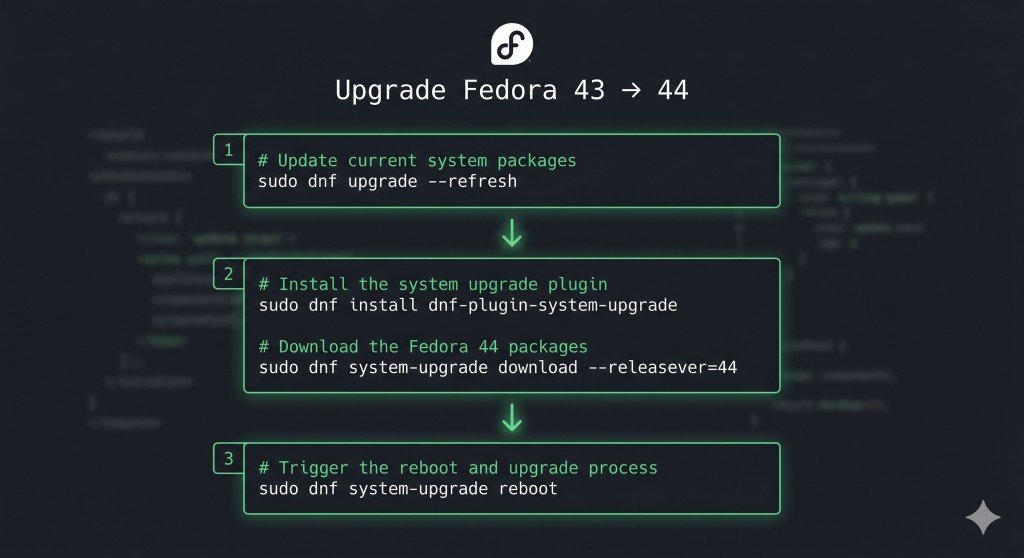
The official upgrade path uses dnf system-upgrade. This preserves your installed packages, user data, and configuration files.
Step 1 – Update Your Current Fedora 43 System First
sudo dnf upgrade --refreshReboot after this completes.
Step 2 – Install the DNF System Upgrade Plugin
sudo dnf install dnf-plugin-system-upgradeStep 3 – Download the Fedora 44 Packages
sudo dnf system-upgrade download --releasever=44This downloads all packages needed for the upgrade. Depending on your connection, this may take 20–60 minutes. Package count is typically 2,000–4,000 packages.
If you see GPG key warnings, accept them — Fedora signs all official packages.
Step 4 – Trigger the Upgrade Reboot
sudo dnf system-upgrade rebootYour system will reboot into a special upgrade mode and apply all changes. Do not interrupt this process. It typically takes 15–40 minutes depending on hardware.
Step 5 – Verify the Upgrade
After reboot, confirm the new version:
cat /etc/fedora-releaseExpected output – Fedora release 44 (Forty Four)
Important Notes for KDE Users
If you’re upgrading an existing Fedora 43 KDE install (not fresh install), the new Plasma Login Manager will NOT automatically replace SDDM. You’ll need to manually switch –
sudo systemctl disable sddm
sudo systemctl enable plasma-login-manager
Should You Upgrade to Fedora 44 Right Now?
Yes, upgrade now if –
- You’re on Fedora 43 (it’s straightforward and tested)
- You need Golang 1.26, PHP 8.5, Ruby 4.0, or GCC 16 for development
- You want GNOME 50 performance improvements
- You’re on modern NVIDIA or AMD hardware
Wait a week or two if:
- You’re on older NVIDIA hardware with proprietary drivers — give RPMFusion time to release updated Fedora 44 driver packages
- Your workflow relies heavily on X11-specific apps — test in a VM or live session first
- You’re a sysadmin with production workloads — let others find day-one issues first
Don’t upgrade if:
- You need long-term stability and don’t want to upgrade every 6 months — use Ubuntu 26.04 LTS or RHEL instead
Frequently Asked Questions
Conclusion
Fedora 44 landed on April 28, 2026 — two weeks late, but significantly more polished for it. The extra time fixed real, serious bugs: installer crashes on BTRFS partitions, BitLocker dual-boot failures, and KDE Plasma init issues that would have broken fresh installs out of the box.
What you get in exchange for the wait is a leading-edge Linux workstation: GNOME 50, KDE Plasma 6.6, GCC 16, Golang 1.26, PHP 8.5, and proper C++ 26 / C 23 compiler support. For developers who want the freshest upstream toolchain available on a stable distro, Fedora 44 is the best option in spring 2026.
The upgrade from Fedora 43 is smooth and well-tested. If you’re on Fedora already, upgrade today. If you’re new to Linux, Fedora 44 is worth trying — download the live ISO, boot from USB, and try it without touching your hard drive first.